

Mistake #1: Ignoring Latency and Setting Unrealistic Timeouts
Latency is the silent killer of header bidding performance. Every millisecond your auction takes to run is a millisecond your user waits for content to load and a millisecond you risk losing a high-value bid. The timeout setting is your primary weapon against latency, but most publishers get it wrong.
Why It's a Costly Mistake
A header bidding timeout is a universal deadline: all demand partners must submit their bids before the timer runs out. If even one partner is slow, they can hold the entire auction hostage, delaying the ad call to your ad server.
- The Revenue Impact: Imagine a high-value bidder is ready to offer a $10 CPM, but they need 950ms to respond. If your timeout is set to 800ms, their bid is discarded before it ever arrives. You lose that bid—and that revenue—forever. This directly lowers your average CPM and fill rate as you miss out on potentially winning bids.
- The User Experience Impact: Long timeouts are a primary cause of slow page load times. This directly harms your Core Web Vitals (CWV), such as Largest Contentful Paint (LCP), which Google uses as a ranking factor. A slow site leads to higher bounce rates, lower user engagement, and potential SEO penalties, creating a vicious cycle of traffic and revenue loss.
How to Identify the Problem
You can't fix what you can't measure. Start by diagnosing your latency issues:
- Browser Developer Tools: Open the "Network" tab in your browser's developer tools and filter for
prebid.jsrequests. You can see the response times for each demand partner in real-time. - Analytics Platforms: Use a specialized header bidding analytics platform or set up custom events in Google Analytics to track timeout rates per partner, per device, and per geography. This data is crucial for identifying the weakest links in your setup.
How to Fix It: Implementing a Smart Timeout Strategy
A one-size-fits-all timeout is a recipe for mediocrity. A smart strategy involves data-driven adjustments.
- Rule of Thumb: If you're just starting, set a universal timeout between 800ms and 1200ms. This range is often a good balance between giving partners enough time to bid and protecting the user experience.
- Dynamic Timeouts: An advanced but highly effective technique is to set timeouts dynamically. For example, you can implement a stricter timeout (e.g., 800ms) for users on slower mobile connections and a more lenient one (e.g., 1200ms) for users on fast desktop connections.
- Partner Auditing: Regularly analyze your bidder performance data. If an SSP is consistently slow or has a high timeout rate, don't hesitate to pause or remove them. A slow partner often costs you more in lost bids from others than they contribute themselves.
- Asynchronous Loading: Double-check that your header bidding wrapper and ad requests are loading asynchronously. This ensures that the auction doesn't block the rest of your page content from rendering, which is critical for a good user experience.
[Soft CTA]: Manually tracking bidder performance is time-consuming. A managed solution like IMC uses advanced data-driven optimization to automatically optimize timeouts and pause underperforming partners in real-time.
Mistake #2: A Flawed Demand Partner Strategy (Too Many or Too Few)
Your demand partners are the engine of your header bidding revenue, but your strategy for managing them can either fuel growth or stall it completely. Publishers typically make one of two mistakes: working with too few partners or, more commonly, working with far too many.
Why It's a Costly Mistake
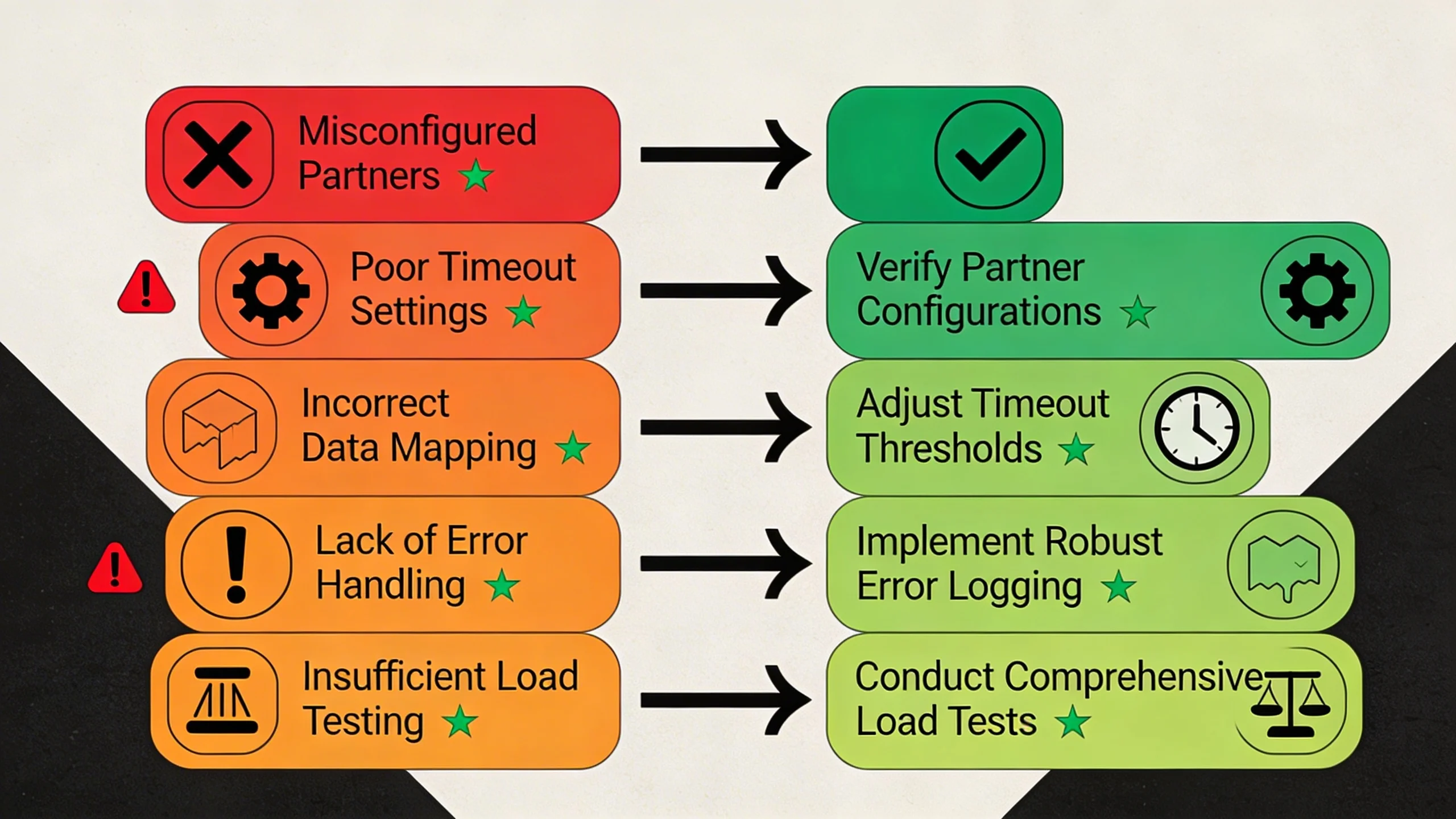
- Too Few Partners: If you only have 2-3 SSPs in your wrapper, you're not creating enough competition to drive up prices. You might be missing out on niche or specialty partners who are willing to pay a premium for your specific audience. Without them in the auction, you'll never see their high-value bids.
- Too Many Partners: This is the more frequent and insidious problem. Each demand partner you add to the wrapper adds another set of HTTP requests, increasing page load time and overall header bidding latency. The law of diminishing returns applies aggressively here; the revenue contribution from your 12th or 15th bidder is almost never worth the latency it adds, which can suppress bids from your top performers.
How to Identify the Problem
Dive into your header bidding analytics and look for signs of a bloated or inefficient demand stack:
- Do you have bidders with a win rate below 1%?
- Are some partners' average CPMs consistently and significantly lower than your top 5 performers?
- Look at the "bid rate" (how often they bid) vs. their "win rate." A partner who bids frequently but never wins might be a poor fit for your inventory, adding latency for no reason.
How to Fix It: Curating Your Demand Stack
Treat your demand stack like an investment portfolio that requires active management and curation.
- Find the Sweet Spot: For most publishers, the ideal number of active demand partners is between 5 and 10. This range typically provides sufficient competition without causing excessive latency.
- Apply the 80/20 Rule: Identify the top 20% of your partners who are driving 80% of your header bidding revenue. These are your core partners. Scrutinize everyone else and be ruthless about removing those who don't add value.
- Test and Rotate: Your stack should not be static. Create a testing framework where you swap out your worst-performing partner for a new, promising one. Let the test run for a few weeks, analyze the data, and decide if the new partner earned a permanent spot.
- Diversify Demand: A healthy stack includes a mix of large, global SSPs (who bring massive scale) and smaller, specialized DSPs or SSPs (who may have unique advertiser demand and pay more for your specific audience).
Mistake #3: Neglecting Your Mobile Web Setup
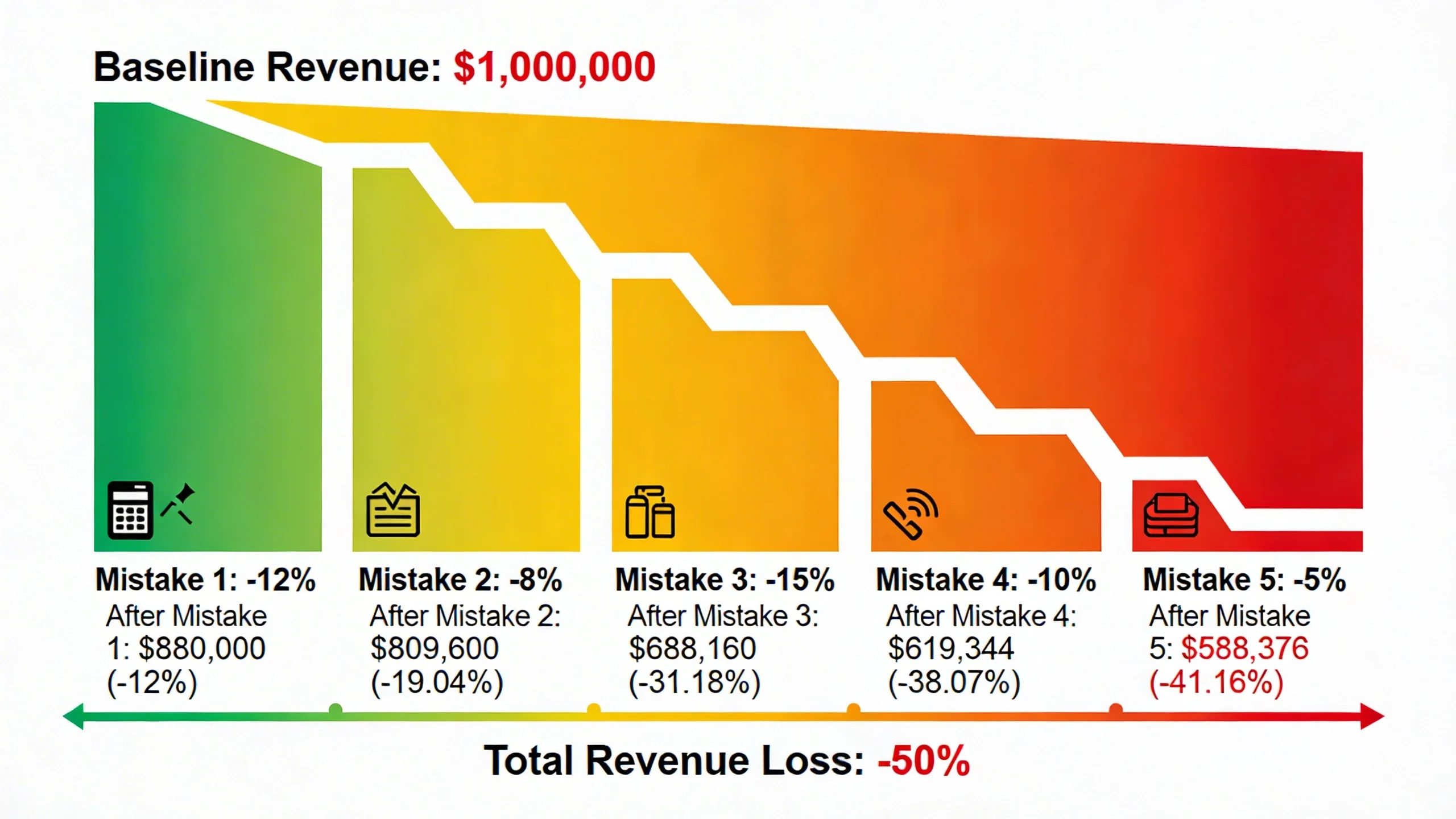
For the majority of digital publishers, mobile traffic now exceeds desktop traffic. Yet, it's shockingly common for a publisher's mobile header bidding setup to be a direct copy-paste of their desktop configuration. This one-size-fits-all approach is a massive, unforced error that leaves significant mobile revenue on the table.
Why It's a Costly Mistake
Mobile environments are fundamentally different from desktop. Mobile networks are often slower and less reliable, making the impact of latency and long timeouts even more severe. Furthermore, the ad tech ecosystem is not uniform; some demand partners have massive strengths in mobile demand, while others are almost exclusively focused on desktop. Applying your desktop strategy to mobile ignores these critical realities.
How to Identify the Problem
The data will tell the story if you segment it correctly.
- In your analytics platform, compare your performance by device. Is your mobile fill rate or CPM significantly lower than your desktop equivalent?
- Check your Google Search Console. Are your mobile Core Web Vitals scores poor or in the "needs improvement" category? This is a strong indicator that your ad setup is slowing down the mobile user experience.
How to Fix It: Optimizing for the Small Screen
Optimizing your mobile setup requires a distinct and deliberate strategy.
- Separate, Shorter Timeouts: Implement a more aggressive timeout for mobile users. If your desktop timeout is 1200ms, test a mobile timeout of 800ms. This protects the mobile user experience on less reliable networks.
- Fewer Bidders: Run a leaner, meaner auction on mobile. Instead of 8-10 bidders, select your top 3-6 partners who consistently perform well on mobile devices. This drastically reduces latency.
- Mobile-First Partners: Actively research and test SSPs that are known for their strong mobile web demand. Integrating just one of these partners can often produce a noticeable lift in mobile CPMs.
- Ad Format Optimization: Ensure you are using mobile-friendly ad sizes like 300x250, 320x50, and 320x100. Furthermore, consider implementing high-viewability formats like sticky footer ad units, as viewability is a key driver of mobile CPMs.
[Soft CTA]: Configuring device-specific rules adds another layer of complexity. IMC handles this automatically, deploying the optimal setup for every user context.
Mistake #4: Inefficient Ad Server Setup & Price Granularity
This is one of the most technical but critical mistakes publishers make. Your header bidding wrapper runs the auction, but your ad server—usually Google Ad Manager (GAM)—makes the final decision. An inefficient GAM setup can cripple your header bidding performance before it ever has a chance to compete fairly.
Why It's a Costly Mistake
Header bidding works by passing the winning bid amount into GAM via key-values and line items. The structure of these line items, specifically the price granularity, determines how accurately the bid is represented.
- Wrong Price Granularity: If your price buckets are too broad (e.g., $1.00, $2.00, $3.00), a bid of $1.95 is passed to GAM as just "$1.00". When it competes against Google AdX or other demand, it's competing at a value that is $0.95 lower than its actual worth, costing you that difference in that single auction.
- Too Granular: Conversely, if your buckets are too fine (e.g., $0.01 increments all the way up), you can easily exceed GAM's line item limits, causing catastrophic delivery failures and creating unmanageable reporting.
How to Identify the Problem
Signs of a poor ad server setup can be subtle but are often found in your GAM reports:
- You see a large and consistent discrepancy between the revenue reported by your header bidding analytics and the revenue reported in GAM.
- Your AdOps team reports that they have hit the GAM line item limit.
- Your GAM reports show that winning bids are always clustered at the bottom of your price buckets (e.g., many wins at $1.01 but few at $1.99).
How to Fix It: Fine-Tuning Google Ad Manager
Optimizing your GAM setup is essential for header bidding success.
- Choose the Right Granularity: Don't settle for broad or overly fine buckets. A proven, high-performing "hybrid" model is a great starting point:
* $0.01 increments up to $5
* $0.10 increments from $5 up to $20
* $0.50 increments for bids over $20
- Duplicate Key-Values: If you have multiple ad units on a single page running auctions concurrently, ensure you have set up duplicate sets of key-values to handle each auction independently.
- Check Line Item Priorities: Verify that your header bidding line items are set to the correct priority level in GAM (typically
Price Priorityat priority 12). This ensures they compete fairly against Google's own demand (AdX/AdSense) through Dynamic Allocation, as well as other demand sources.
Mistake #5: The "Set It and Forget It" Mindset
The single most costly mistake is not a technical one, but a strategic one: treating header bidding as a one-time setup. The ad tech ecosystem is in a constant state of flux. Bidders update their algorithms, new Prebid.js modules are released, and your own audience behavior evolves. A setup that was perfectly optimized six months ago is almost certainly suboptimal today.
Why It's a Costly Mistake
Complacency leads to a slow, gradual decay in revenue. This "revenue rot" comes from unaddressed issues like bidder fatigue (where a partner's performance slowly degrades over time), running on outdated Prebid versions with known bugs, and missing out on new features or demand partners that could provide an incremental lift. It's not a sudden drop, but a slow leak that costs you thousands over time.
How to Identify the Problem
This is a simple self-audit. Ask yourself and your team:
- When was the last time we updated our
prebid.jsfile? (If it's been over a year, you're behind.) - When was the last time we tested a new demand partner against our worst performer?
- Do we have a scheduled, regular process for reviewing our header bidding performance reports, or do we only look when something breaks?
How to Fix It: Embracing Continuous Optimization
Shift your mindset from "setup" to "management." A proactive, iterative approach is the key to long-term success.
- A/B Testing is Everything: You should always be testing something. A/B test your timeouts, test new bidders, test different ad placements, and test new price granularity settings. Let the data guide your decisions.
- Stay Updated: Regularly update your Prebid.js version. Each new release contains valuable bug fixes, performance improvements, and new modules (like identity solutions) that can directly impact your revenue.
- Scheduled Audits: Implement a "Quarterly Header Bidding Health Check." This is a dedicated time to review all the points in this article: analyze partner performance, check your timeouts for mobile vs. desktop, review your GAM setup, and plan your next A/B test.
- Monitor Industry Trends: Pay attention to what's happening in the ad tech world. Keep an eye on new Prebid modules, major changes in Google Ad Manager, and emerging identity solutions that will become increasingly important.
---
Conclusion
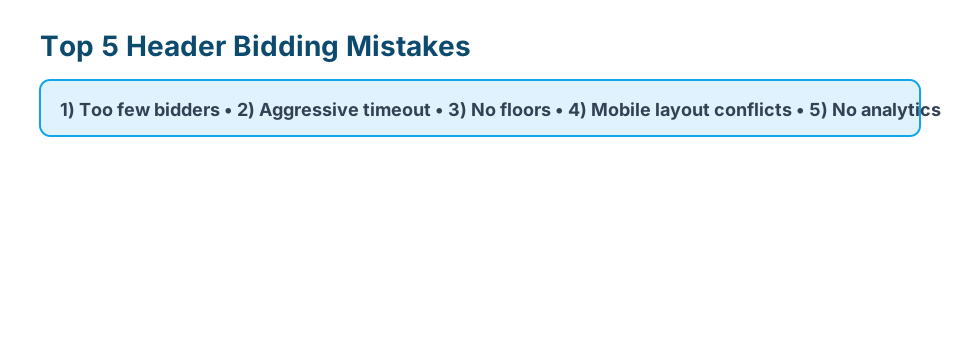
Header bidding is undeniably powerful, but it is not a magic bullet. Achieving a high-performing setup requires diligence and a commitment to avoiding common pitfalls like unchecked latency, a flawed partner strategy, mobile neglect, a poor GAM setup, and simple complacency. By proactively managing your ad stack, you can move from defense to offense—plugging revenue leaks and actively seeking out new opportunities for growth.
Fixing these mistakes requires constant vigilance and deep technical expertise. If you're ready to stop leaving money on the table and have experts handle your optimization, get in touch with IMC today and see how our team can boost your ad revenue.