What is Ad Refresh? A Simple Explanation for Publishers
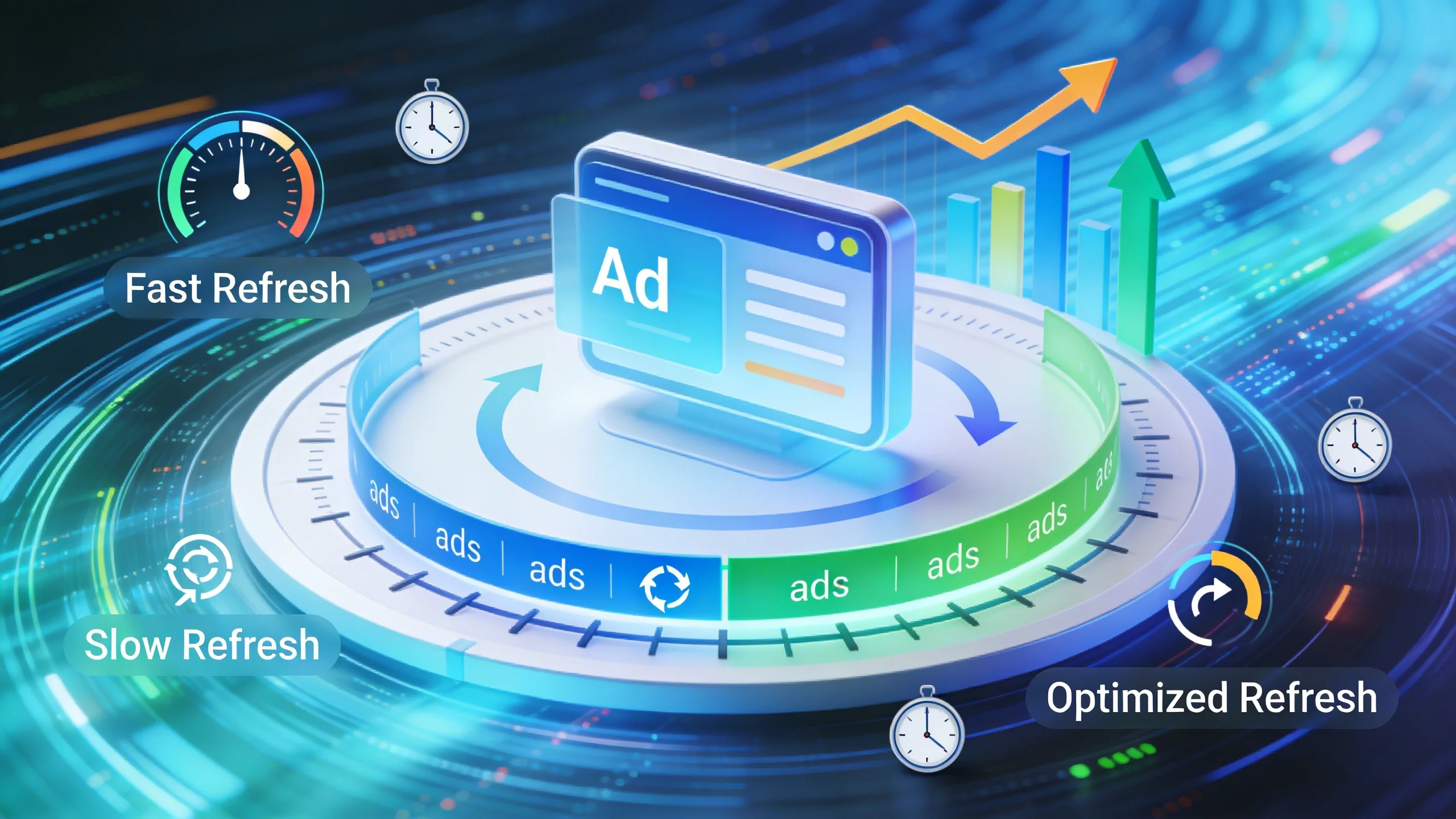
Ad refresh is a technique that automatically reloads ads in a specific ad slot without reloading the entire webpage. Think of it like a digital billboard on your site. Instead of showing the same advertisement for the entire time a user is on the page, ad refresh changes the ad after a certain period or in response to a specific user action. This generates a new impression for the same ad unit within a single page view.
This is fundamentally different from a standard ad setup, where an ad is loaded once when the page loads and remains static until the user navigates to a new page.
How Does Ad Refresh Actually Work? The Triggers
The "magic" of ad refresh is controlled by specific triggers. Understanding these is key to implementing the strategy correctly. There are three primary types:
Time-Based Refresh
This is the most common method. The ad server is instructed to fetch a new ad for a given ad slot after a fixed amount of time has passed, such as every 30, 60, or 90 seconds. For this to be effective, the user must still have the ad in their viewport when the timer expires.
User-Action-Based Refresh
This more sophisticated approach ties the refresh to a user's behavior. The ad reloads when the user takes a specific action that indicates they are still actively engaged with the page. Examples include:
- Scrolling to a new section of a long article.
- Clicking a "next" or "previous" button in an image gallery or slideshow.
- Interacting with an on-page tool or calculator.
Event-Based Refresh
This trigger is used for dynamic content pages where the content itself changes without a full page reload. A classic example is a live sports blog or a stock market tracker, where a new ad can be loaded in sync with a content update (e.g., a new score or market data).
Ad Refresh vs. Lazy Loading: What's the Difference?
It's easy to confuse ad refresh with lazy loading, but they serve different purposes.
- Lazy Loading: Delays the loading of an ad until it is about to enter the user's viewport. Its goal is to improve initial page load speed and Core Web Vitals by not loading unseen ads.
- Ad Refresh: Reloads an ad that has already been viewed. Its goal is to increase the number of impressions within a single session.
The two can work together—an ad can be lazy-loaded initially and then set to refresh later—but they are distinct technologies solving different problems.
The Big Debate: The Pros and Cons of Ad Refresh
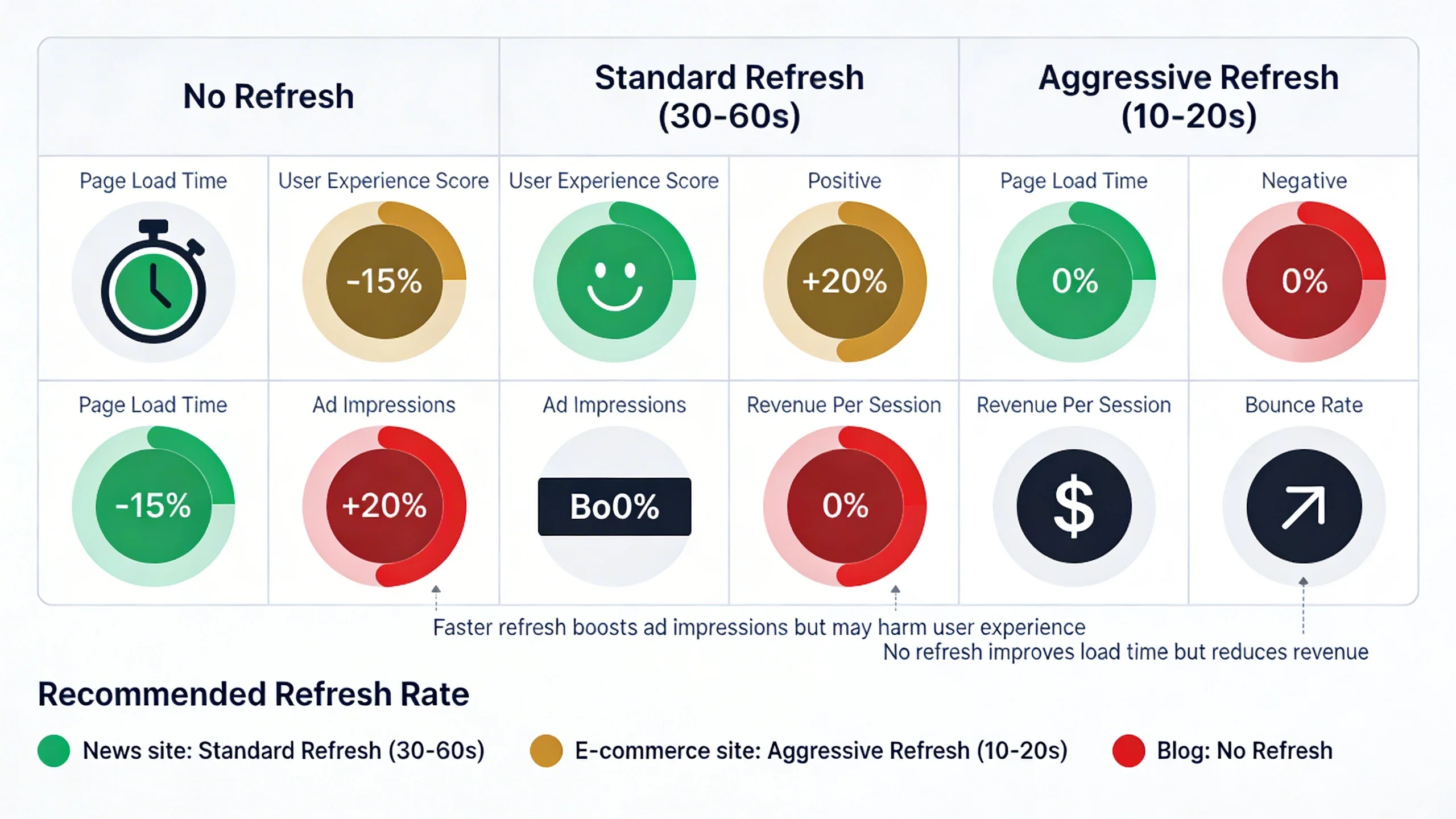
Ad refresh isn't inherently good or bad; it's a tool. Its value depends entirely on how, when, and where it's used. Let's break down the debate.
The Alluring Benefits of Ad Refresh (The Pros)
- Increased Ad Impressions & Revenue: This is the primary motivation. If a user spends three minutes on a page and your ads refresh every 60 seconds, you can serve three impressions instead of one from the same ad slot. In theory, more impressions per session lead to higher potential revenue.
- Improved Ad Relevance: For long user sessions, the initial ad call might not be the most relevant one for the entire duration. A fresh bid request can bring in new, more contextually relevant advertisers, especially if the user's on-page behavior provides new signals.
- Higher Fill Rates for Niche Placements: Some ad units, particularly those further down the page, might not fill on the initial page load. A refresh mechanism can provide a second or third opportunity to fill these less-viewed ad units as a user scrolls and spends more time on the page.
The Critical Risks and Drawbacks (The Cons)
- Decreased Viewability (The #1 Risk): This is the most dangerous pitfall. If an ad refreshes when it's not in the user's viewport (e.g., they've scrolled past it), you're generating an impression that no one sees. This tanks your overall ad viewability score. Advertisers pay premium CPMs for high viewability; a low score will make your inventory less valuable and drive your CPMs down across the board.
- Negative SEO Impact: Google prioritizes user experience. If your ad refresh is implemented poorly—refreshing too frequently, causing content to jump around (high Cumulative Layout Shift or CLS), or slowing down the page—it creates a frustrating experience. This can increase bounce rates and lower time on page, sending negative signals to search engines.
- Policy Violations: This is a major red flag. While Google does permit ad refreshing, doing it improperly can get your account suspended. Google's Ad Manager policy is clear: refreshing ads in a way that misleads users or generates invalid impressions is strictly forbidden. The key is to be transparent and user-centric.
- Lower CPMs: While your total number of impressions may go up, the value of each subsequent impression often goes down. The first impression on a page view is typically the most valuable. Later impressions face lower bid pressure from advertisers and can be subject to "ad blindness," where users subconsciously ignore the ad slot after seeing it once. The net result can sometimes be a lower overall RPM (revenue per thousand impressions), even with more impressions.
Ad Refresh Best Practices: How to Do It Right (Or Not at All)
If you're still considering ad refresh, implementing it without a strict set of rules is like navigating a minefield blindfolded. Follow these best practices to maximize your chances of success and minimize risk.
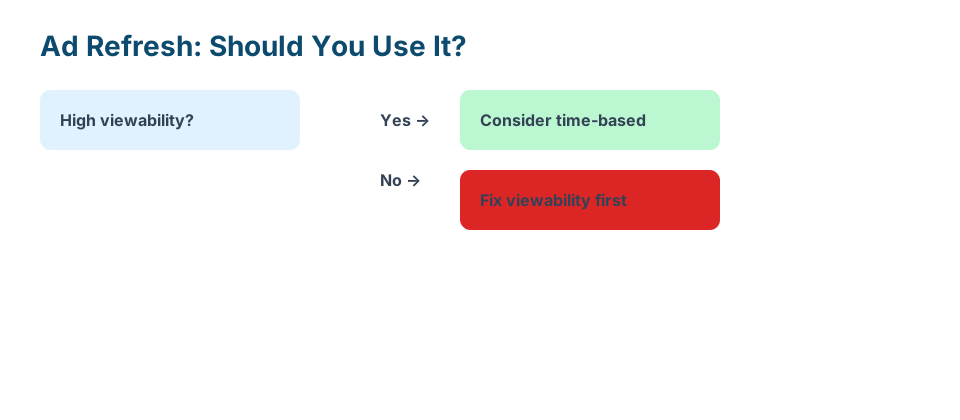
- Rule #1: Prioritize Viewability Above All Else. This is non-negotiable. Only refresh ad units that are currently and actively in the user's viewport. This is often called "active view" or "viewable" refresh. Most modern ad tech solutions, like Google Ad Manager, allow you to set rules to only trigger a refresh when an ad slot is confirmed to be in view.
- Rule #2: Respect the User. Your user's experience is paramount. Set reasonable time intervals—never less than 30 seconds, with 60 seconds or more being much safer and more standard. Avoid aggressive refreshes that are distracting or cause any kind of layout shift that disrupts the reading experience.
- Rule #3: Understand Your Analytics. Ad refresh is not a "set it and forget it" tool. You must obsessively monitor your key metrics before and after implementation. Watch your average session duration, bounce rate, and, most importantly, your ad unit viewability scores in Google Ad Manager or your third-party analytics suite.
- Rule #4: Segment and Test. Never roll out ad refresh sitewide from day one. Start by A/B testing on a small segment of your traffic or on specific page templates where you expect it to perform well. The goal is to measure the net impact on RPM, not just impressions or CPMs. If your RPM isn't increasing, the strategy isn't working for you.
- Rule #5: Technical Implementation Matters. A clean setup is crucial. Ad refresh is typically configured through your ad server (like using the
pubads().refresh()function in Google Ad Manager's Publisher Tag API.refresh())) or via a module in your header bidding wrapper. If you're not technically proficient, this is an area where professional help is highly recommended.
The Million-Dollar Question: Is Ad Refresh Right For YOUR Site?
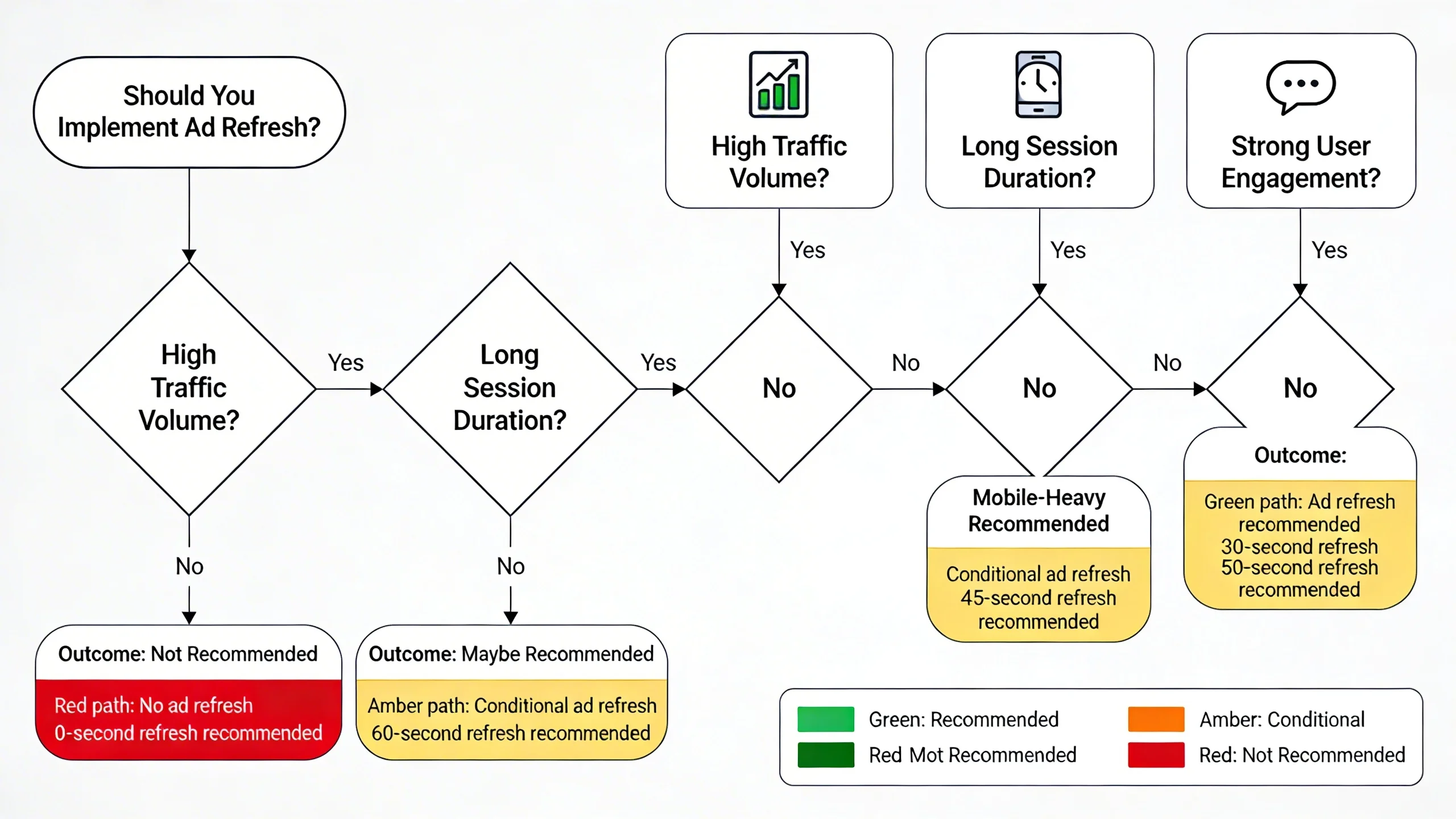
Now for the most important part. This strategy is not a one-size-fits-all solution. Its success is almost entirely predicted by your site's content and your audience's behavior. Here’s a framework to help you decide.
Ad Refresh is a Strong Candidate If Your Site Has...
✅ High Average Session Duration / Time on Page: This is the single most important factor. If your analytics show users typically spend more than 2-3 minutes on a single page, there is a genuine opportunity to serve more than one ad.
✅ Long-Form, Engaging Content: Think in-depth tutorials, comprehensive guides (like this one!), active forums, or live blogs. These are formats where users stay put and remain actively engaged with the content on a single URL for an extended period.
✅ Single-Page Applications (SPAs): Websites built as SPAs (using frameworks like React or Angular) where users interact extensively with different views and tools without ever navigating to a new URL are prime candidates.
✅ "Infinite Scroll" or Slideshow Content: News sites, content aggregators, or image galleries where users continuously consume new content on the same page are a natural fit for user-action-based refresh.
You Should AVOID Ad Refresh If Your Site Has...
❌ Low Average Session Duration: If your users are "search, find, and leave," ad refresh is pointless. They won't be on the page long enough for a refresh to even trigger, and it will just add unnecessary code to your site.
❌ Short-Form Content: Quick recipes, dictionary definitions, simple Q&A pages, or "listicle" articles with minimal text are poor fits. The user gets what they need and moves on.
❌ Conversion-Focused Pages: Never use ad refresh on e-commerce product pages, service landing pages, or checkout processes. On these pages, ads are a secondary concern at best and a harmful distraction at worst. Your focus should be 100% on the conversion.
❌ Poor Viewability Scores to Begin With: If your site already struggles with low ad viewability, ad refresh will be like pouring gasoline on a fire. It will only exacerbate the problem and further devalue your ad inventory. Solve your core viewability issues first.
Alternatives to Ad Refresh for Increasing Revenue
Before you jump into the complexities of ad refresh, remember that it's not the only way to lift your ad revenue. If your site isn't a good fit, focus on these proven strategies first:
- Ad Placement Optimization: A/B test different ad sizes, locations, and densities to find the optimal balance between revenue and user experience.
- Implementing Lazy Loading: Properly implementing lazy loading can improve your Core Web Vitals and boost your overall viewability scores, making your existing ad impressions more valuable.
- Using Sticky Ads (Responsibly): Anchor ads that stick to the bottom of the screen or sticky sidebar ads can achieve near-100% viewability and significantly increase revenue without the risks of refresh.
- Improving Content and User Engagement: This is the ultimate strategy. The best way to increase ad impressions naturally is to create better content that keeps users on your site longer.
Conclusion: A Powerful Tool, Not a Magic Bullet
Ad refresh can be a highly effective strategy for boosting revenue, but only for a specific type of publisher. It is a precision tool, not a magic bullet.
Its success is entirely dependent on your site's content, your audience's behavior, and an unwavering commitment to best practices that prioritize viewability and user experience. It’s designed for engagement-rich sites with long session durations, not for quick-visit, short-form content sites. When used correctly, it adds incremental value. When used incorrectly, it can damage your reputation with both users and advertisers.
Analyze your data, understand your audience, and be honest about your content. The answer to whether ad refresh is right for you lies in your own analytics.
---
Feeling overwhelmed by the complexities of ad monetization? Our team of ad ops experts can analyze your site, traffic, and revenue goals to build a custom strategy that boosts income without compromising your audience. Schedule a free consultation today.