

Part 1: Beyond SEO: The Dual Power of a Smart Linking Strategy

A well-architected internal linking strategy works on two critical fronts simultaneously. It creates a better experience for your human visitors while sending powerful signals to search engine crawlers. This dual impact is what makes it a cornerstone of high-performing content sites.
Benefit 1: For Your Users (The Pageview Engine)
Imagine a reader lands on your article about "beginner photography tips." They are engaged and learning. Within that article, you link to your guide on the "best cameras for beginners." After reading that, they see a link to your in-depth "review of the Sony A6000." In just a few minutes, a single visit has transformed into three pageviews.
This is the power of creating a "path of discovery." Strategic internal links act as signposts, guiding interested readers deeper into your content ecosystem. You anticipate their next question and provide the answer with a convenient link.
How this connects directly to your revenue:
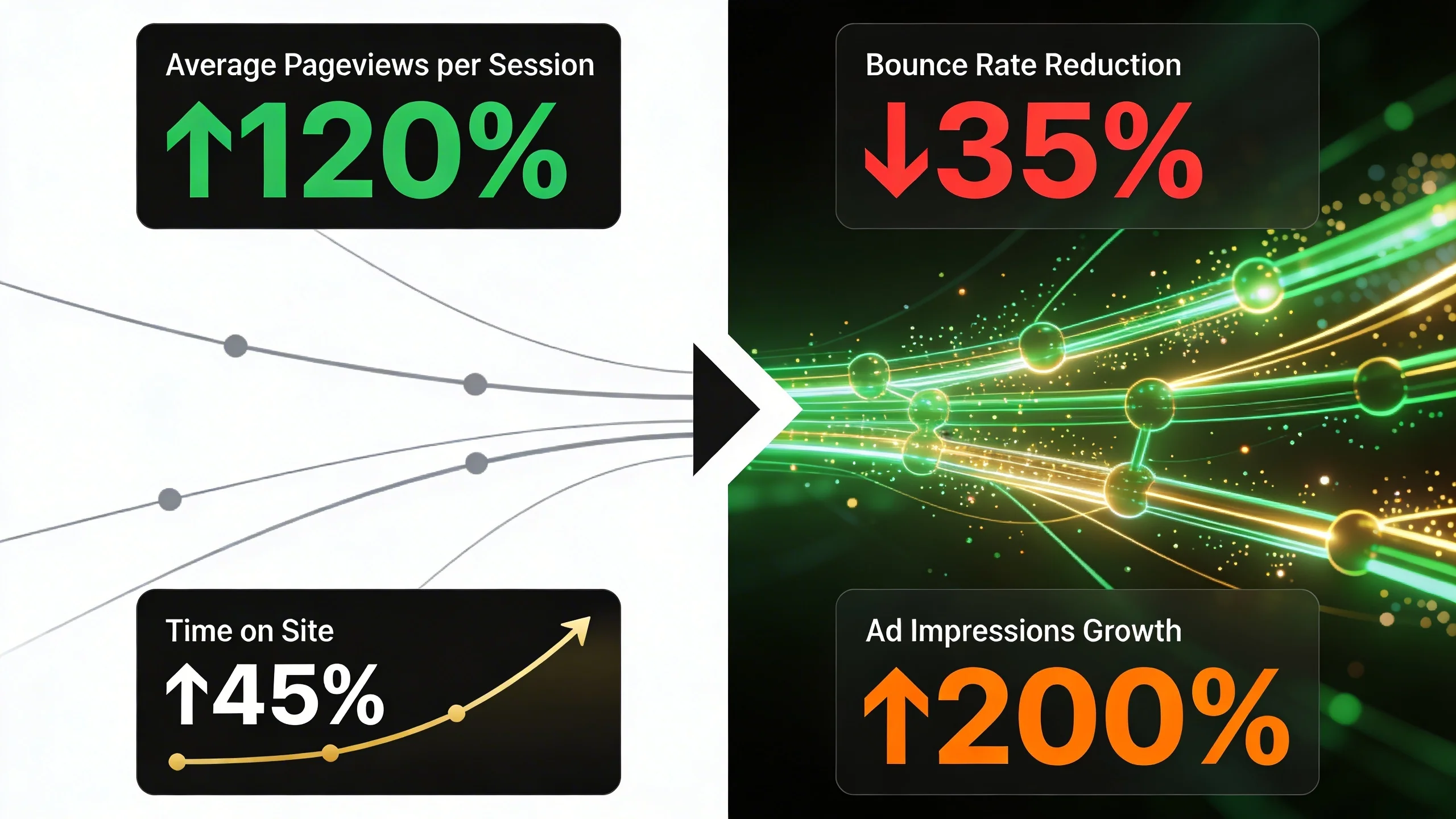
- Increased Pages per Session: Every time a user clicks an internal link to a new article, it counts as a new pageview. For sites monetized with display ads, each new page load serves a fresh set of ad impressions, directly increasing your revenue for that session.
- Increased Average Session Duration: When users are seamlessly guided from one relevant article to the next, they stay on your site longer. This is a powerful signal to Google that your site provides a high-quality, engaging user experience, which can positively influence your rankings.
Benefit 2: For Search Engines (The SEO Foundation)
If internal links are signposts for users, they are a superhighway for search engines. Think of your website as a city and internal links as the road system. Without roads, Googlebot (Google's web crawler) can't efficiently discover and understand all the great content you've built.
How this builds your site's authority:
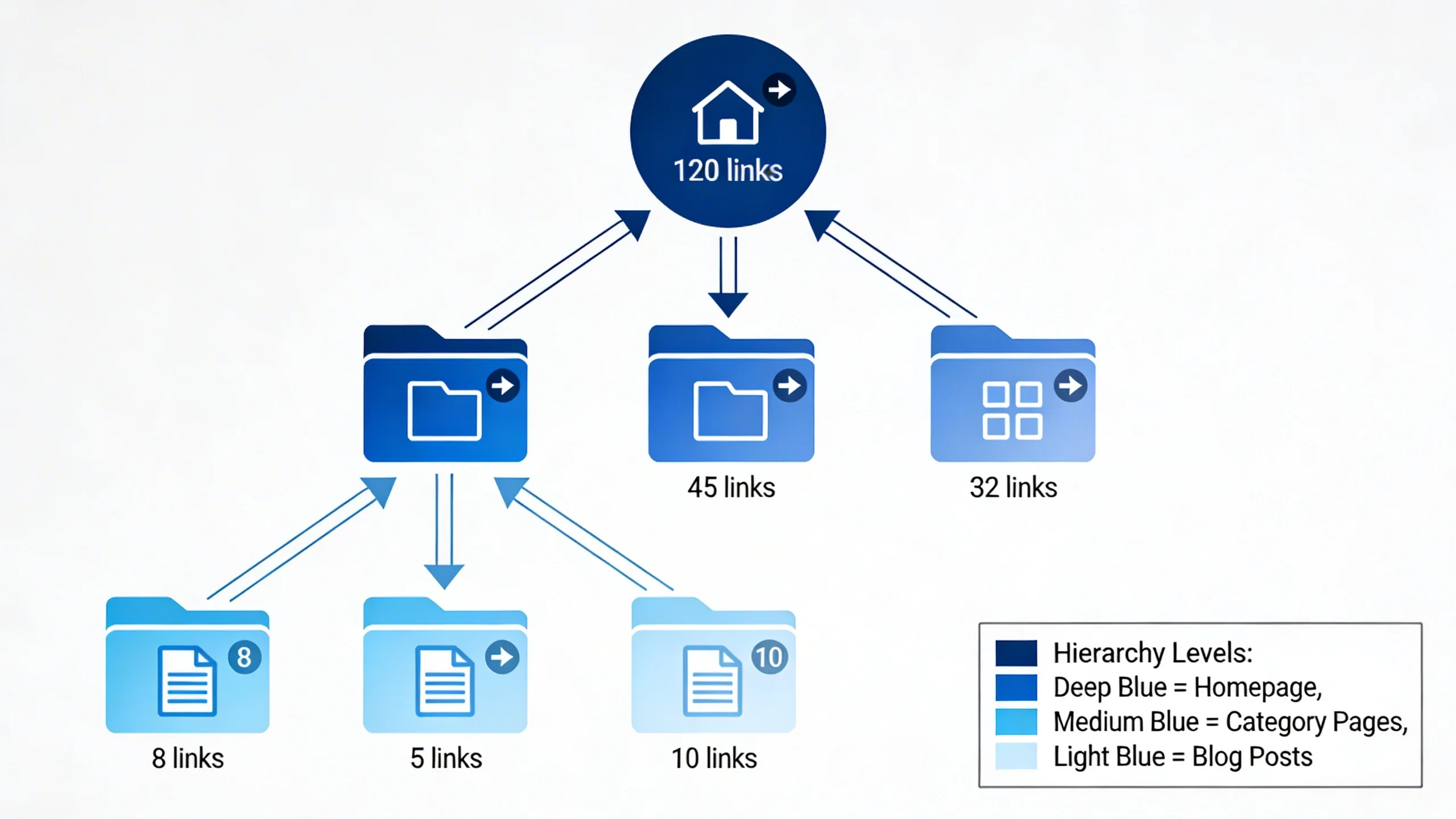
- Link Equity Distribution: Powerful pages on your site, like your homepage or a viral blog post with many external backlinks, accumulate authority, often called "link juice." Internal links act as pipelines, passing a portion of that authority to other pages on your site. Linking from a high-authority page to a newer article gives it an immediate SEO boost, helping it get indexed and ranked faster.
- Establishing Topical Authority: When you create a dense web of internal links between articles covering a similar topic (e.g., linking all of your articles on "keto diet" to each other), you send a clear signal to Google: "I am an expert on this subject." This helps your entire collection of related articles rank higher for a wide range of keywords within that topic.
Part 2: From Haphazard to Strategic: The 5 Rules of Internal Linking
To harness the power we just discussed, your linking must be intentional. Randomly dropping links into your content won't work. Adhering to these five core principles will transform your linking from a haphazard chore into a strategic asset.
1. Context is King
This is the golden rule. An internal link must be editorially relevant and add genuine value to the reader. It should feel like a natural, helpful continuation of the thought or topic being discussed. Don't force links where they don't belong; the user experience always comes first.
- Good Example: In an article about "email marketing strategies," you mention the importance of compelling subject lines. This is the perfect place to link to your detailed guide on "how to write a high-converting subject line."
- Bad Example: In that same email marketing article, forcing a link to your post on "the best web hosting providers" is irrelevant and jarring for the reader.
2. Master Your Anchor Text
Anchor text is the visible, clickable text of a hyperlink. It's a crucial signal for both users and search engines, telling them what the destination page is about before they even click. Vague or generic anchor text is a massive missed opportunity.
Strive for anchor text that is descriptive and, when natural, contains keywords related to the target page.
Compare these examples:
| Bad Anchor Text (Vague/Generic) | Good Anchor Text (Descriptive/Keyword-Rich) |
|---|---|
| "Click here" | "our complete guide to keyword research" |
| "Read more" | "these internal linking best practices" |
| "this article" | "how to choose a domain name for your blog" |
| "on our blog" | "our review of the top email marketing software" |
A word of caution: Avoid over-optimization. Vary your anchor text naturally. If you link to the same article multiple times from different pages, use slightly different but still descriptive anchor text to appear natural to Google.
3. Link from High-Authority to Relevant Pages
Not all pages on your site are created equal. Some pages have more authority due to age, quality, or the number of backlinks they’ve earned. You can strategically use these "power pages" to boost other important content.
First, identify your high-authority pages. You can find these using SEO tools like Ahrefs or SEMrush in their "Top Pages by Links" reports. If you don't have these tools, a good proxy is to look at your most popular articles in Google Analytics or pages that you know have been linked to by major publications.
The strategy is simple: review these power pages and look for opportunities to link from them to newer content or important "money pages" (like product reviews or service pages) that need a ranking boost.
4. Link Deep, Not Just to Your Homepage
A common mistake is to primarily link back to your homepage or main contact page. While these links have their place, the real strategic value comes from deep linking. This means linking to specific, relevant blog posts, guides, and articles deep within your site's architecture. This practice distributes authority more effectively and guides users to the exact content that will solve their problems.
5. Use a Reasonable Number of Links
There is no magic number for how many internal links a page should have. The focus should always be on quality and user experience. A page filled with hundreds of blue links looks spammy and is overwhelming for the reader.
A good rule of thumb is to aim for 3-5 highly relevant, contextual internal links per 1000 words of content. This doesn't include navigational links in your header, footer, or sidebar. The goal is to provide value, not to hit a specific quota.
Part 3: The Strategic Framework: Building Topic Clusters and Pillar Pages
Now that you understand the core principles, let's elevate your strategy from individual links to a cohesive site architecture. The most powerful way to do this is with the "Hub-and-Spoke" or "Topic Cluster" model.
What are Topic Clusters?
The topic cluster model organizes your site's content architecture around a central topic. It consists of two main components:
- Pillar Page (The Hub): A single, comprehensive, long-form piece of content that provides a broad overview of a major topic. Think of it as an "Ultimate Guide to X" or "Everything You Need to Know About Y."
- Cluster Content (The Spokes): A collection of more specific articles that each dive deep into one particular subtopic mentioned on the pillar page.
For example, if your website is about digital photography, your structure might look like this:
- Pillar Page: "The Ultimate Guide to Landscape Photography"
- Cluster Content (Spokes):
* "Best Wide-Angle Lenses for Landscapes"
* "How to Use Filters for Landscape Photography"
* "Composition Techniques for Stunning Vistas"
* "Post-Processing Tips for Landscape Photos"
* "Best Time of Day for Outdoor Shots"
(Imagine a central circle labeled "Pillar Page" with lines extending out to several smaller circles, each labeled as a "Cluster Page." Arrows show that the cluster pages link to the pillar, and the pillar links back out to them.)
Why This Model is a Pageview-Generating Machine
The topic cluster framework is incredibly effective for boosting pageviews and ad impressions for two reasons:
- It Creates a Content "Mini-Ecosystem": This structure naturally guides users on a journey. Someone who lands on your article about "composition techniques" is highly likely to be interested in the "best wide-angle lenses." By linking these pages together through the central pillar page, you create a circular navigation path that keeps users clicking, exploring, and engaging. More clicks mean more pageviews and more ad impressions.
- It Builds Unbeatable Topical Authority: For search engines, this model is a flashing neon sign that declares your expertise. The dense, logical linking structure between the pillar and its clusters proves to Google that you have covered a topic with incredible depth and breadth. This helps the entire cluster of pages rank higher, not just a single article.
How to Implement a Topic Cluster Strategy (Step-by-Step)
- Step 1: Choose Your Pillar Topic: Identify a broad, high-value topic that is central to your website or business. It should be significant enough to be broken down into at least 5-10 subtopics. Good pillar topics could be "Content Marketing," "Beginner Gardening," or "Personal Finance for Millennials."
- Step 2: Create Your Pillar Page: This is the cornerstone of your cluster. Your pillar page should be a long-form, comprehensive guide (aim for 2,500+ words) that covers all the major facets of your chosen topic. It should be one of the best and most thorough resources on the internet for that subject.
- Step 3: Brainstorm and Create Cluster Content: List all the specific subtopics you mentioned in your pillar page. Each of these becomes a candidate for a dedicated "cluster" article. For our "Content Marketing" pillar, cluster content could include articles like "How to Write a Viral Blog Post," "A Beginner's Guide to SEO," and "Building a Social Media Content Calendar."
- Step 4: The Crucial Linking Structure: This is the glue that holds the model together. The linking rules are simple but non-negotiable:
* Every single Cluster Page must link up to the main Pillar Page.
* The Pillar Page must link down to every one of its supporting Cluster Pages.
* (Optional but powerful) Link relevant Cluster Pages directly to each other where it makes sense editorially. This further strengthens the topical relationship.
Part 4: The Action Plan: How to Find and Fix Internal Linking Opportunities
Knowing the strategy is one thing; implementing it is another. Here is a 3-step action plan you can use to conduct an internal linking audit and find high-impact opportunities on your site right now.
Method 1: The Free Google Method (Finding Opportunities)
This simple but powerful technique uses a Google search operator to find mentions of a keyword or phrase across your own website. It's perfect for finding linking opportunities for a newly published post.
The operator is: site:yourdomain.com "keyword or phrase"
Let's walk through an example. Say you just published a brand-new, in-depth article on "drip irrigation systems." To find older articles on your site where you can add a link to this new post, you would search Google for things like:
site:yourwebsite.com "watering plants"site:yourwebsite.com "garden maintenance"site:yourwebsite.com "conserving water"
Google will return a list of every page on your site that mentions these phrases. Simply visit each of those pages, find the relevant sentence, and add a contextual link to your new article.
Method 2: The SEO Tool Method (Scaling Your Efforts)
For larger sites, manual methods can be time-consuming. SEO tools can automate and scale this process significantly.
- Ahrefs/SEMrush: Both of these industry-leading tools have comprehensive "Site Audit" features. One of the most valuable reports they generate is a list of "orphan pages"—pages that have zero internal links pointing to them. These pages are practically invisible to both Google and your users.
- Link Whisper (WordPress Plugin): If your site is on WordPress, this purpose-built plugin is a game-changer. As you write or edit a post, it uses artificial intelligence to scan your existing content and suggest dozens of relevant internal linking opportunities, complete with suggested anchor text. It can save you hundreds of hours.
Method 3: The Orphan Page Audit (Low-Hanging Fruit)
Orphan pages are SEO dead-ends. Because no other pages link to them, search engines have a hard time finding and indexing them, and users will almost never discover them organically. Fixing these is one of the quickest and most impactful internal linking wins.
Here's a simple process:
- Crawl Your Site: Use a tool like Screaming Frog (free for up to 500 URLs), or the site audit function in Ahrefs/SEMrush.
- Find the Orphans: Filter or sort the crawl results by the number of "inlinks" (incoming internal links) to find all pages with zero or one inlink.
- Build the Bridges: Go through this list and, for each orphan page, use the Google Search Operator method above to find at least 3-5 older, relevant articles you can add links from.
Part 5: Measuring Your Success: How to Know if Your Strategy is Working
An effective strategy must be measurable. You can't just build links and hope for the best. You need to track key metrics to confirm your efforts are paying off.
Key Metrics to Watch in Google Analytics
Log into your Google Analytics account and navigate to the "Engagement" section. Keep a close eye on these metrics over the weeks following your internal linking audit:
- Pages / Session: Is this number trending upward? This is the most direct indicator that users are clicking your internal links and exploring more of your site.
- Average Session Duration: Are people staying on your site longer? This signals higher engagement.
- Behavior Flow Report (or Path Exploration in GA4): This report provides a visual map of the paths users are taking through your site. You can see if they are following the "paths of discovery" you intended to create.
Key Metrics to Watch in Google Search Console
Google Search Console provides direct insight into how Google sees your site.
- Links Report: Navigate to "Links" > "Internal Links." This report shows your most linked-to pages. Are your main pillar pages at or near the top of this list? They should be. If not, you need to build more internal links to them.
- Performance Report: Keep an eye on the performance (impressions and clicks) of the specific pages you built new links to. Over the next 4-8 weeks, you should see a gradual increase in their visibility in search results as Google re-crawls your site and recognizes the new authority signals.
Conclusion
Internal linking is not a passive, one-and-done task; it's an active, ongoing strategy for user engagement and SEO. It is one of the very few powerful ranking factors that you have 100% control over.
By moving from random acts of linking to a deliberate framework built around topic clusters and user value, you create a superior experience for your audience and a clearer roadmap for search engines. A well-executed strategy will build your topical authority, improve user experience, and directly lead to the growth you want: more pageviews, longer sessions, and ultimately, higher ad revenue.
Your first step is simple. Don't try to fix your whole site today. Pick one important pillar topic, audit its cluster of articles using the methods above, and start building those strategic bridges. You'll be surprised at the results.